[ILLUSION] Koikatu! - Card Sharing Request Thread 2.0 (Restart)

PaulLaalen69lover

PaulLaalen69lover

Senior Member
Joined
Nov 19, 2025
Messages
92
Reaction score
181
Points
33
Credits
2,165

urz5bf.gif
New Naruse mio Harada SD​

Sauce PLZ
 
-LiuGong-

-LiuGong-

Senior Member
Joined
Aug 30, 2024
Messages
120
Reaction score
214
Points
43
Credits
2,300
If you don't mind me asking, how did you add multiple outfits to a character?

zzKM3ay.png


ɪ ʀᴇᴀʟʟʏ ʟᴏᴠᴇ ʏᴏᴜʀ ᴡᴏʀᴋ ʙᴛᴡ ♥️
It's a state secret, I can't disclose that information. 🤓
Here, your colleague shows you correctly how to add new instances for outfits.
 
Payballs

Payballs

Veteran Member
Joined
Mar 8, 2025
Messages
94
Reaction score
392
Points
53
Credits
4,050
r
8WYJYLG.jpeg

ok

Cerydra​

All Reupload complete ! 🔓️✅

6. ZNany

YUiptR1.jpeg

ok

Alice​

All Reupload complete ! 🔓️✅

11. ZNany


honkai-star-rail-5-star-herta-weapon-begging-for-a-crossover.jpg

ok

Herta​

All Reupload complete ! 🔓️✅


very nice cat 👍 ZazuStare


https://www.pixiv.net/en/artworks/133887085
please reupload !
 
muipoop69love

muipoop69love

Veteran Member
Joined
Sep 17, 2024
Messages
312
Reaction score
685
Points
93
Credits
6,740
Last edited:
zeidhan29

zeidhan29

KK Master
Joined
Sep 17, 2025
Messages
427
Reaction score
1,059
Points
93
Credits
10,830
anyone can tell me how to change a character height in chara studio?
Using the general scale adjustment; select the model you want to adjust, activate the gizmo (axis) and among the three options (position, rotation and scale) select scale and adjust the length (height) or width (vertical or horizontal), and by selecting the gizmo itself (the center) you can modify everything equally (sometimes this is ideal to avoid long faces or slenderman arms.

llu1jb7VaHDVnMd5SmLrN2Ob3SSSzp-sOfhzbG5PLnbGiquK6oPDAT0ZEpVaZCCTJB02h3YKcQVW5dsMOxPzEuoGrZWlawBr6Th22MU3uOWX99tjWo6K6Mk


Another option is the StudioPseudoMaker plugin, which basically lets you open a window with a section similar to CharaMaker. However, you can't save the character card itself there; you can only change or copy the size of the body and head of another character. It also allows you to modify clothing and accessories, although, as I mentioned, this is only saved to the SD card, not to the character itself.

I would even suggest exporting it once you've adjusted the size, but sometimes abmx crashes and the models export with issues related to weight paint.

 
yukini

yukini

Veteran Member
Joined
Oct 31, 2025
Messages
53
Reaction score
338
Points
53
Credits
3,505
u need pseudomaker plugin, or just use the scale gizmos

Using the general scale adjustment; select the model you want to adjust, activate the gizmo (axis) and among the three options (position, rotation and scale) select scale and adjust the length (height) or width (vertical or horizontal), and by selecting the gizmo itself (the center) you can modify everything equally (sometimes this is ideal to avoid long faces or slenderman arms.

llu1jb7VaHDVnMd5SmLrN2Ob3SSSzp-sOfhzbG5PLnbGiquK6oPDAT0ZEpVaZCCTJB02h3YKcQVW5dsMOxPzEuoGrZWlawBr6Th22MU3uOWX99tjWo6K6Mk


Another option is the StudioPseudoMaker plugin, which basically lets you open a window with a section similar to CharaMaker. However, you can't save the character card itself there; you can only change or copy the size of the body and head of another character. It also allows you to modify clothing and accessories, although, as I mentioned, this is only saved to the SD card, not to the character itself.

I would even suggest exporting it once you've adjusted the size, but sometimes abmx crashes and the models export with issues related to weight paint.
thanks so much this pseudomaker is just what i needed!
 
zeidhan29

zeidhan29

KK Master
Joined
Sep 17, 2025
Messages
427
Reaction score
1,059
Points
93
Credits
10,830
thanks so much this pseudomaker is just what i needed!
I don't know if the plugin can be found on GitHub or any third-party site, but the usual way to download it is through the Koikatsu Discord server (it's not the official one, but it's the largest in terms of members and exclusive shared content).

Regarding the plugin, it's best to download the latest version or test it if you encounter any problems. I usually use a newer version, but since this plugin hasn't been updated since june, I'd say it's fine to use the most up-to-date version.

 
yukini

yukini

Veteran Member
Joined
Oct 31, 2025
Messages
53
Reaction score
338
Points
53
Credits
3,505
I don't know if the plugin can be found on GitHub or any third-party site, but the usual way to download it is through the Koikatsu Discord server (it's not the official one, but it's the largest in terms of members and exclusive shared content).

Regarding the plugin, it's best to download the latest version or test it if you encounter any problems. I usually use a newer version, but since this plugin hasn't been updated since june, I'd say it's fine to use the most up-to-date version.

i got it from here seemed legit and it worked perfectly it's still not updated since jun(may29) so it might be the same one.
btw can't access the discord server for some reason seems to just infinitely load.
 
zeidhan29

zeidhan29

KK Master
Joined
Sep 17, 2025
Messages
427
Reaction score
1,059
Points
93
Credits
10,830
i got it from here seemed legit and it worked perfectly it's still not updated since jun(may29) so it might be the same one.
btw can't access the discord server for some reason seems to just infinitely load.
I was worried about that detail, let me tell you. A while back, I tried to join the Koikatsu Discord server, and there was always an authentication problem. The bot wouldn't log in, and they kept telling me to log out and log back in. It took about five tries, and I finally gave up. About a month later, I was looking for guides on how to create normal maps and masks, and also how to use detail masks correctly (I wanted to make my own). The thing is, I found a long thread on GitHub that explained exactly what I was looking for and shared links to embedded videos (visible on GitHub itself). When I accidentally accessed the source, my Discord popped up, and I was already in the server.

I don't really know what that bot checks, but something tells me that some links work, while others just send you into a loop with no response.

And going into a little more detail about the plugin, I don't think there are significant changes between one version and another, but ideally you should read the changes, although I think Rikki himself has removed a large part of his plugins from that page and you can find them separately on Discord or in the BetterRepack (as well as his mods) or HF Patch (I haven't verified this last one).
But the source you downloaded it from is indeed the latest version. :cool:
 
wmfrpa

wmfrpa

KK Master ❤
Joined
Apr 11, 2025
Messages
464
Reaction score
10,675
Points
93
Credits
111,306
Does anyone have these two cards?
(wish there are producers here)
So sad. Could anyone help me?
It’s okay now, don’t be sad
I’ll also upload 'Kiriko outfit' as a bonus

EuMUnUU.jpeg

Tsukioka Kogane_HeadMod​


udNaxrc.jpeg

Yukoku Kiriko_HeadMod​


07Ge4JI.jpeg

Yukoku Kiriko_Outfit ( SSR1 )​


kIAoLOn.png
 
K

key

New member
Joined
Oct 27, 2025
Messages
14
Reaction score
3
Points
3
Credits
40
Does anyone have these mods?


cenpai

cenpai

New member
Joined
Sep 2, 2025
Messages
9
Reaction score
7
Points
3
Credits
250
Anyone have Reta 106 and 107 they can share?

 
D

deepdive

Active Member
Joined
Dec 4, 2024
Messages
10
Reaction score
52
Points
13
Credits
700
K

kazekami kageryu

Active Member
Joined
Sep 11, 2024
Messages
224
Reaction score
33
Points
28
Credits
540
lf
 
tnk.vera

tnk.vera

KK Master
Joined
Aug 10, 2025
Messages
418
Reaction score
2,820
Points
93
Credits
29,220


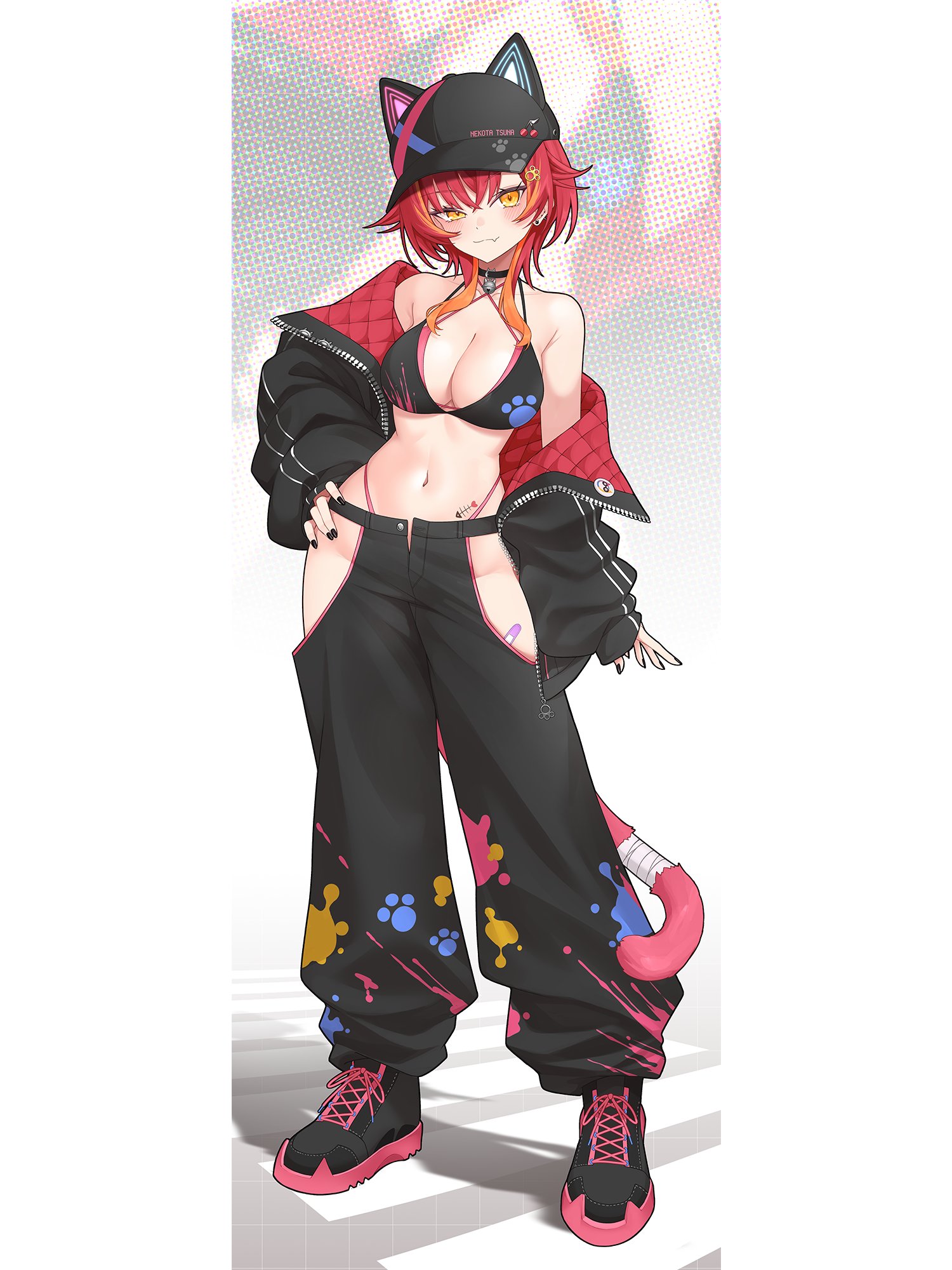
Does anyone know of any mods or outfits similar to these pants?

Closest thing would be Tamaki's pants

Will take some work in Material Editor, but eventually you'll end up with something like this:
5SVO7og.png


If you want to use this as a starting point, here you go:
Card used is Xion's Nekota Tsuna, using hair from a mixture of Hat and Qlonemu's Tsuna cards. The shared coordinate doesn't have the Centi jacket since I have no idea how deep Aumi's card marks go.
 
tnk.vera

tnk.vera

KK Master
Joined
Aug 10, 2025
Messages
418
Reaction score
2,820
Points
93
Credits
29,220
Using the general scale adjustment; select the model you want to adjust, activate the gizmo (axis) and among the three options (position, rotation and scale) select scale and adjust the length (height) or width (vertical or horizontal), and by selecting the gizmo itself (the center) you can modify everything equally (sometimes this is ideal to avoid long faces or slenderman arms.

llu1jb7VaHDVnMd5SmLrN2Ob3SSSzp-sOfhzbG5PLnbGiquK6oPDAT0ZEpVaZCCTJB02h3YKcQVW5dsMOxPzEuoGrZWlawBr6Th22MU3uOWX99tjWo6K6Mk


Another option is the StudioPseudoMaker plugin, which basically lets you open a window with a section similar to CharaMaker. However, you can't save the character card itself there; you can only change or copy the size of the body and head of another character. It also allows you to modify clothing and accessories, although, as I mentioned, this is only saved to the SD card, not to the character itself.

I would even suggest exporting it once you've adjusted the size, but sometimes abmx crashes and the models export with issues related to weight paint.
I seem to be able to export characters just fine. Though before exporting I make sure to reset the pose to T-Pose, turn off any FK/IK, then reset blendshapes and any bone modifications in KKPE.
 

Similar threads

Top