G

You are using an out of date browser. It may not display this or other websites correctly.
You should upgrade or use an alternative browser.
You should upgrade or use an alternative browser.

muipoop69love
Veteran Member
Hey Hoss it's your Lucky Day.Does anyone have this mod? Slormo : Alternate UV skintype
I've searched everywhere and never found it. If anyone has, please share
M
Manticore5o
Active Member
https://gofile.io/d/97kQQg here ya go.mugenalien II 's
new scene is absolutely fantastic. Does anyone have the scene file for this?

イラストコミュニケーションサービス [pixiv]
pixiv(ピクシブ)は、作品の投稿・閲覧が楽しめる「イラストコミュニケーションサービス」です。幅広いジャンルの作品が投稿され、ユーザー発の企画やメーカー公認のコンテストが開催されています。www.pixiv.net

Guardian
Veteran Member
So, I'm not entirely sure what channel to post this in, but it's not mod related (I don't think) but would anyone happen to know why this lighting distortion is happening? It didn't happen before I fresh reinstalled my game, so why it's doing it now is bizarre to me.
G
GeneralG00n
Senior Member
N
NPCkoi
Active Member

There any similiar this character? by the way the title name
Machi Gurumi no Wana ~Hakudaku ni Mamireta Shitai~

agiose
Member
sinisister :3you have awoken me from my hibernation
Loading…
gofile.io

Paired
Well-known Member
nah anna and midori are better i love yurabe but face animations of anna are way too superior plus anna uses different curves for all body parts i barely understand how their animations work 😭Yurabe is better than all those, but it's ironic free creators are mostly not on the radar for people lol

ss902672
Active Member
Sorry for the delay, but thanks! By the way, 'boy the mews' scene cards are pretty hard to find(these) are all the SD's i have for this author, unfortunately dont have any premium ones though

adamski
Veteran Member
Bumping this once in hopes of someone knowing where this is from potentially.This might be a bit weird of an ask, but I've always wondered what scene AnonBluna used here? I know he uses poses from other people's scenes for the most part iirc, so I'm just curious.

trpotat22
Veteran Member
So the process is quite easy.I'm intrigued by that blue object. May I ask how you imported that in the game? Is it possible to overlay that object somehow in the creator and tweak the character to match it? Would it be possible to import something like that for ZZZ characters? I would love to try and tweak on some of them but I don't even know how to begin.
There's this page with models that can be used with MMD plugins:

专业模型创作分享社区_模之屋_PlayBox
模之屋(PlayBox)是一个专业模型创作分享社区,海量模型作品一手掌握,找模型就上模之屋! 专注多品类3D模型下载、原创作品分享、软件学习
So you download some model, then make sure that you have a MMD plugin installed into your Blender, then just simply import it into Blender.
When you get it into the Blender you just need to remove all the not needed parts of the models, so clothes etc.
You don't need to mark everything manually in the edit mode, you can just press the L button which selects entire segments, then delete button and delete vertices, edges or faces. The alternative is pressing the N button which will show plugins on the right side, then select the one for MMD. Select the model by pressing it, then under "Model Setup" there's "Mesh" with "Sep by Mat (High Risk)" option, it will separate the model into many parts that can be deleted, but usually it's still better to do it "manually", of course you can mix these methods since in some cases it will really save a lot of time.
Keep in mind that your model that you want to get into Studio can't have more than 60k triangles.
If you by any chance get the error message in the Studio (that you exceeded the triangles limit) then just simply press Alt+Z in Blender while in Edit Mode, then just simply split the entire model into parts from the top to bottom (you can use the P button to separate mesh), then export them as separate OBJ files.
After that you just export the model as .obj file and get it into your Studio and use that as a reference.
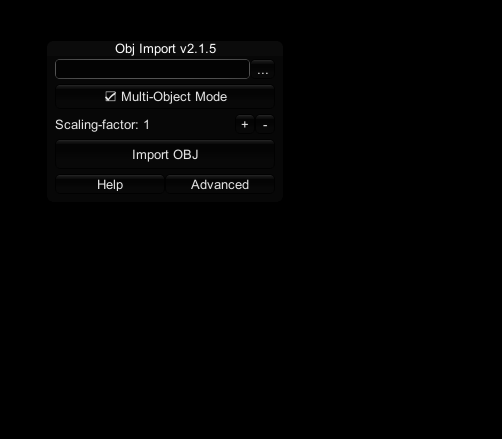
By default if you press the O button it will show a window for importing objects into Studio, then select your ".obj" model and just import it.
I don't know if it's possible to get a model like that into the Char Maker, but then there's still the issue with adjusting the pose since the T-pose in Koikatsu is a little bit different compared to what you get in Girls Frontline 2 and I had to enable "IK" stuff and adjust some nodes.
I also recommend to switch the material to "Goo".
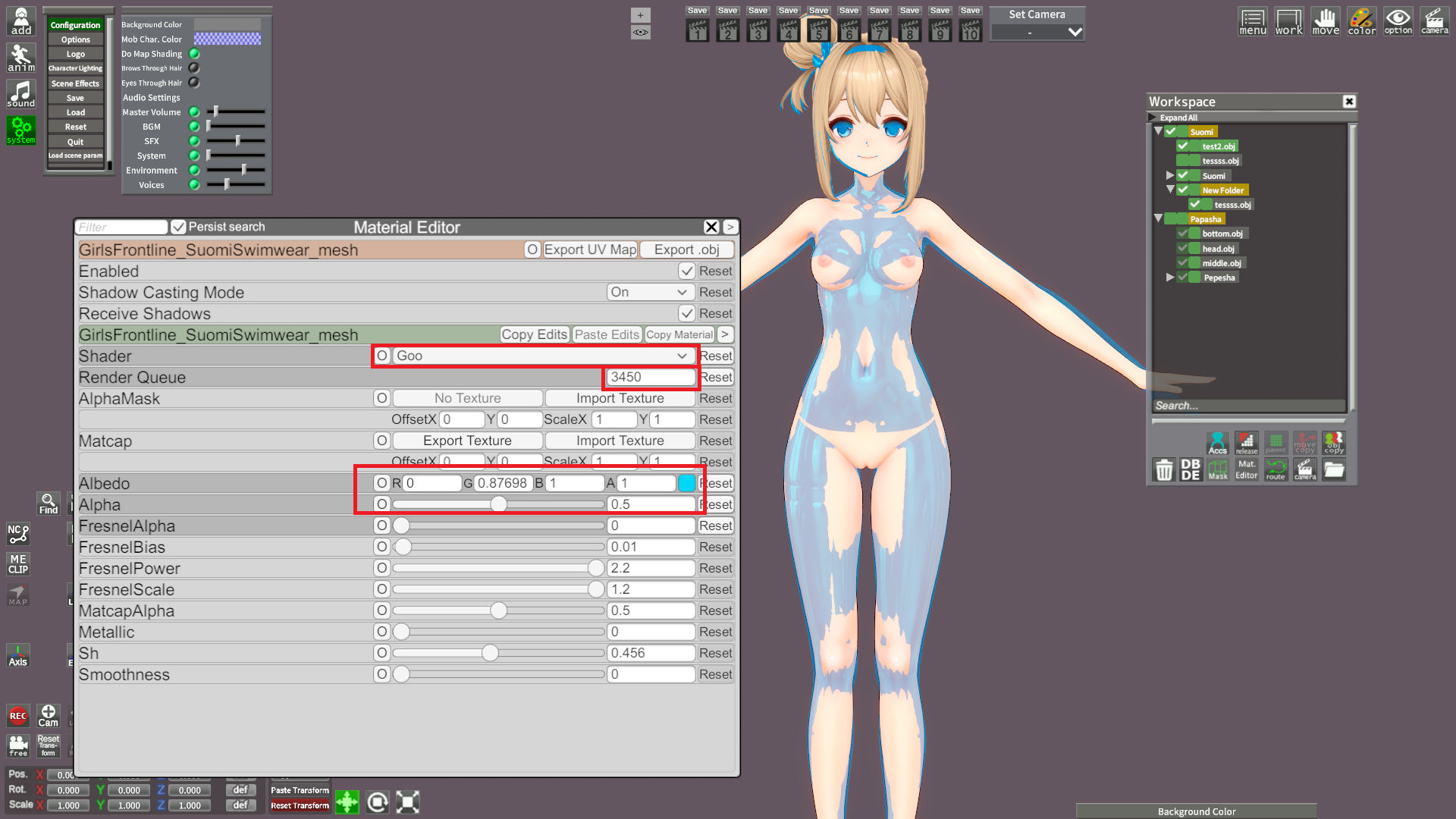
To get the basic body properties right I would recommend to at first check the height of the model in Blender (in centimeters), then adjust it in Koikatsu to match that height. Then in Blender you take a screenshot from the front and side (by pressing Num1 and Num3, then taking a screenshot) and use that as a reference (so copy images to "Koikatsu\UserData\bg" folder and load them in the Chara Maker). When you are done with the basic stuff You can start to adjust it more by using the imported 3d model in Studio as a reference.
So basically you have both Studio and Chara Maker open at the same time and just switch between them, you can also use the Bonemod Editor in Studio and then copy settings to the Maker when you are done, but it's always recommended to use the default sliders first, then these from the Bonemod Editor if you can't adjust them normally.
I also don't recommend adjusting the arms and legs in only one axis, it will cause some stretching when switching between poses, generally it can happen to any body part, so you need to adjust bones in a smart way.
thigh00 and arm00 and cf_j_shoulder or cf_d_shoulder - if you want to adjust them then do it in every axis at the same time (so let's say 0.95 value for X, Y, Z).
I noticed that lots of people (including people who make paid cards) just adjust these in only axis (Y axis in case of thigh00, then increase cj_j_leg01 value also in only one axis) to let's say make the legs shorter, or the upper part, but it just causes some weird stretching.
Playing around with bonemod stuff also might affect how the outfits look like, so that's another thing to consider when you start to adjust them.
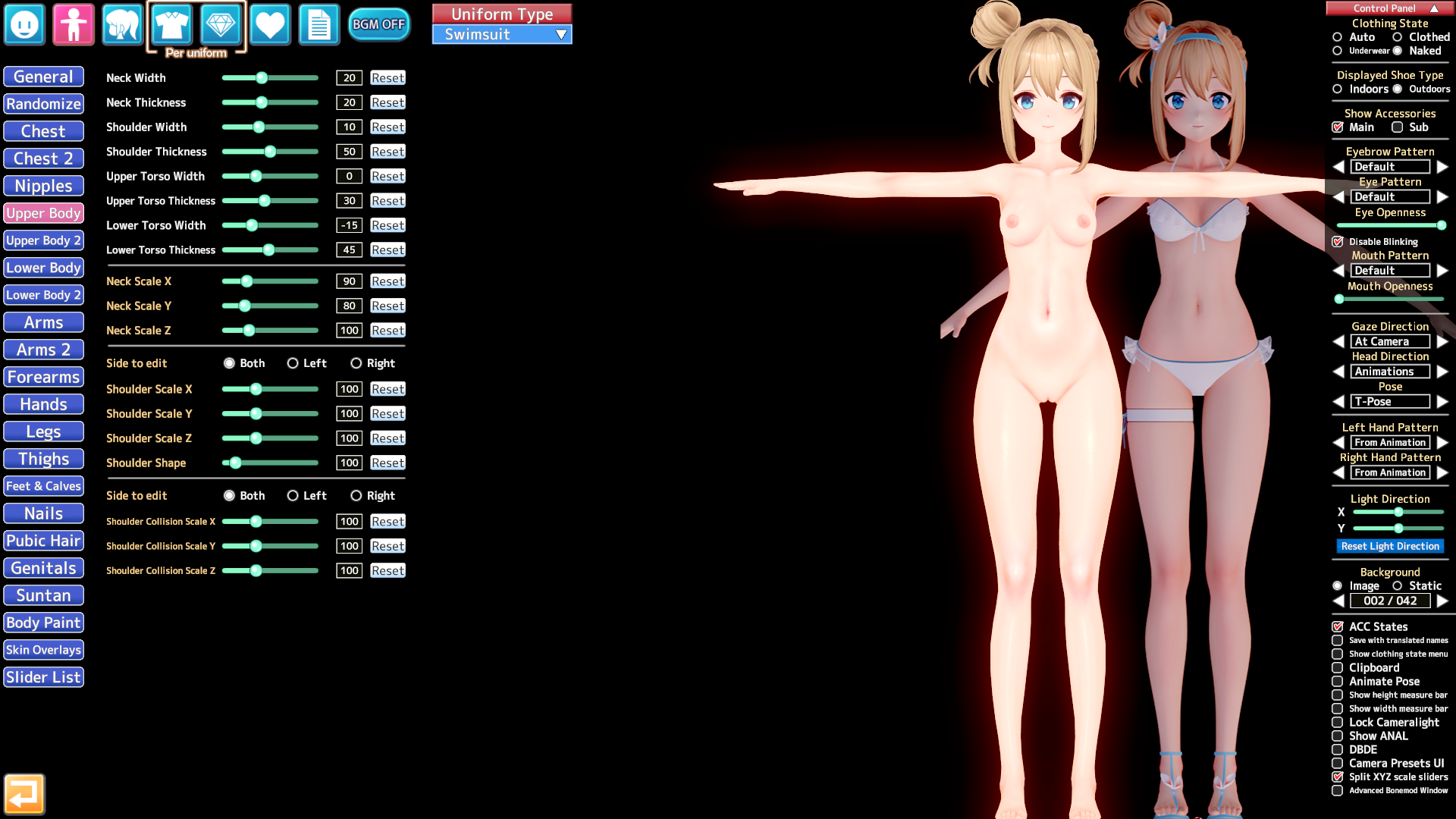
If you try really hard then I bet it's possible to create an almost 1:1 copy of models from other games in KK, but that requires some effort and knowledge about editing the bones, so the knowledge about which could cause stretching when you switch the pose, for example you can edit "spine" bones in X axis only and it won't cause any major issues, the other ones require editing all X/Y/Z at the same time.
This adjusted Suomi card isn't perfect either, it would still need a little bit of work to get it 100% right (right now I would say it's like ~95% right).
There's also a trick with an easy modifying the head related accessories as long as they are binded to the "Center of head" parent, you just simply use the a_n_headside bone to switch the scale or move it in all outfits at the same time.
Last edited:
ss902672
Active Member
From what I can see...
KK_* stuff with the Arknights logo is old-ish Yata/Kapitalismus work and grabbed off Bepis.
The two Ch'en cards are off Pixiv.
Hoksi's Dusk, ProjektRed, Shu, and W have been shared a few times.
Several are AgentSKADI's cards and have been shared a few times.
A few SunsetRayline things were shared here in these forums.
Okazaki cards (including 德克萨斯Texas the Omertosa 1.05 and 斥罪Penance) are from 岡崎悠一. Stuff not available anymore may be found in the "Krampus" archive on these forums in the "Assorted Wallers" folder.
Stuff persona23 didn't get like Suzuran, Hibiscus the Purifier, and similar may be found in the Krampus archive in the willdie or Sendai folders.
Dunno about the rest.
Does anyone have the mod called (will_die) hefu ?
Kemono
Kemono
Hmm, willdies kemono page hasn't been updated in months, but surprisingly most of the links are still alive LMFAO
We should be able to find cards and mods up to 2024 on the Krampus archive.
Last edited:
agiose
Member
umm i have a question. where can i see the "Krampus Archive?"
Kemono
kemono.cr
Kemono
Hmm, willdies kemono page hasn't been updated in months, but surprisingly most of the links are still alive LMFAO
We should be able to find cards and mods up to 2024 on the Krampus archive.
J
JAY10
New member
Does anyone have I404 card from violet_v3?
I did some searching, but unfortunately the links I found weren’t working.
 www.pixiv.net
I did some searching, but unfortunately the links I found weren’t working.
【10月のみ先行配布】伊404
『アズールレーン』より 伊404を中間プラン以上で先行配布します。 こちらは10月のみの配布になります。 From ‘Azur Lane’ I-404 will be distributed early to players with an Intermediate Plan
www.pixiv.net M
Makaron_01417
Member

Headmod version not pictured.

Gofile - Cloud Storage Made Simple
Secure, fast and free cloud storage solution. Upload and share files instantly.gofile.io
BG by Guruo. Poses by a friend of mine.

Here's what I've got. It's not everything LR's ever released, but it's what I've managed to scrounge up.
Gofile - Cloud Storage Made Simple
Secure, fast and free cloud storage solution. Upload and share files instantly.

Included the card just in case someone else wanted it.
Gofile - Cloud Storage Made Simple
Secure, fast and free cloud storage solution. Upload and share files instantly.
Scene by 板蓝根, camera angle edited by me.
Hello.2 more Passerby cards shared on Telegram here (KKS)
Gofile - Cloud Storage Made Simple
Secure, fast and free cloud storage solution. Upload and share files instantly.
If possible, could you please share the LR_LR card with me again?
J
jared5242
New member
Thank you so much but there are other characters that are like no added. Is this all of them?
Cards - Shared via TeraBox
TeraBox offers up to 1024GB of free cloud storage. Download the app for secure storage and file sharing anytime, anywhere.www.1024tera.com
ss902672
Active Member
you just need to click the gray 'Krampus archive' link in my post. The archive is actually scattered across different threads after f95 was gone, but AFAIK, this link has the biggest collection. (of course not 100% complete)umm i have a question. where can i see the "Krampus Archive?"
Last edited:
H
Hking
Active Member
thank you !!猫は戻って来ないので、ここをクリックしてください。
花火が打ち上がるまで繰り返しクリックします。
ポップアップするものは何もダウンロードしないでください。偽物です。
L
lizardman
New member
Replying to a textless post seems to be janking out so I'm just linking the reply
The OP asked for a Kyonko card and you linked SolityL, am I missing something?
The OP asked for a Kyonko card and you linked SolityL, am I missing something?

NeoNeg
Veteran Member
by any chance, do you have this scene?https://gofile.io/d/97kQQg here ya go.
[R-18]Yanagi R in VR
It’s quite a heavy scene file. As an extra, I’ve uploaded the scene displayed on the monitor as a separate file. Fanbox Scene: https://
www.pixiv.net 
KK DONALD'S
KK Master
marked are not given/sharedThank you so much but there are other characters that are like no added. Is this all of them?
M
monri
New member
Still looking for this, any hero? 🙏Dose anyone have this? Thks


tico963
Senior Member
no chance bro https://gofile.io/d/G90nqqHey man. Any chance for re-upload of Autumn/Kiara card? Thanks
F
Fapper008
New member
idk man, i wonder the sameReplying to a textless post seems to be janking out so I'm just linking the reply
The OP asked for a Kyonko card and you linked SolityL, am I missing something?

UMP45
Veteran Member
first you will have to choose KKUTS body (update to the lastest one here) for me i chose 2.5.1A cause i dont even know what the other doeshow'd you oil up the face and body?

then scroll down and find this

then import this texture in

scroll down a bit and set this to your liking

boom you have successfully oiled up your waifu
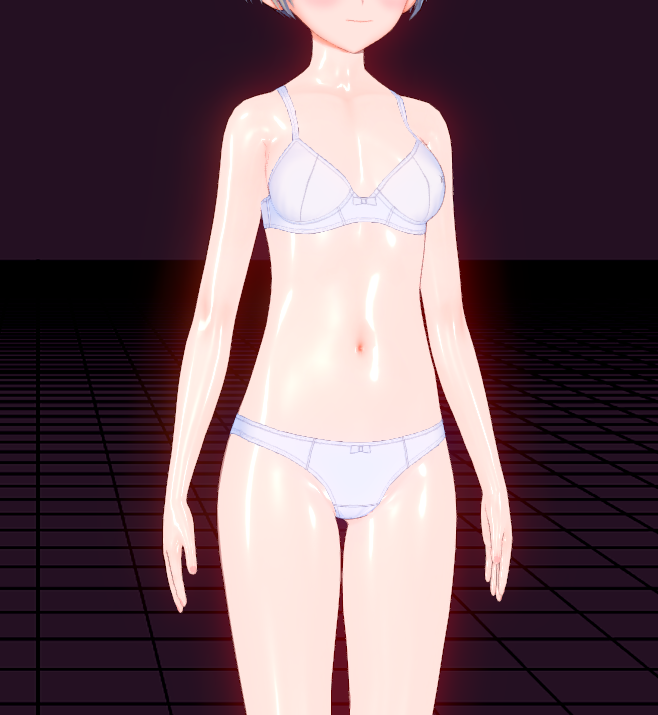
you can also do the same thing for the face and oil up the entire character
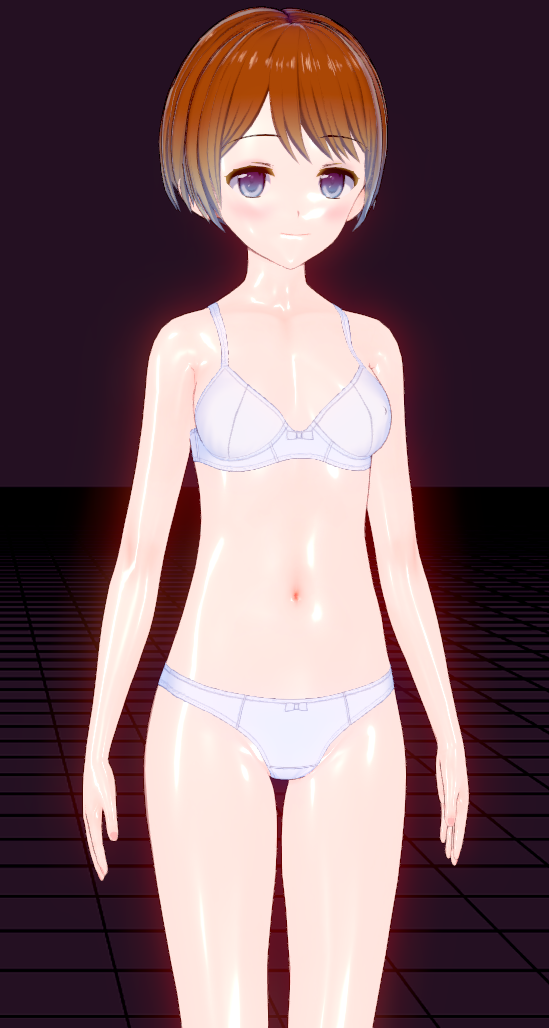
AND for the semi realistic skin looking you gonna import this:
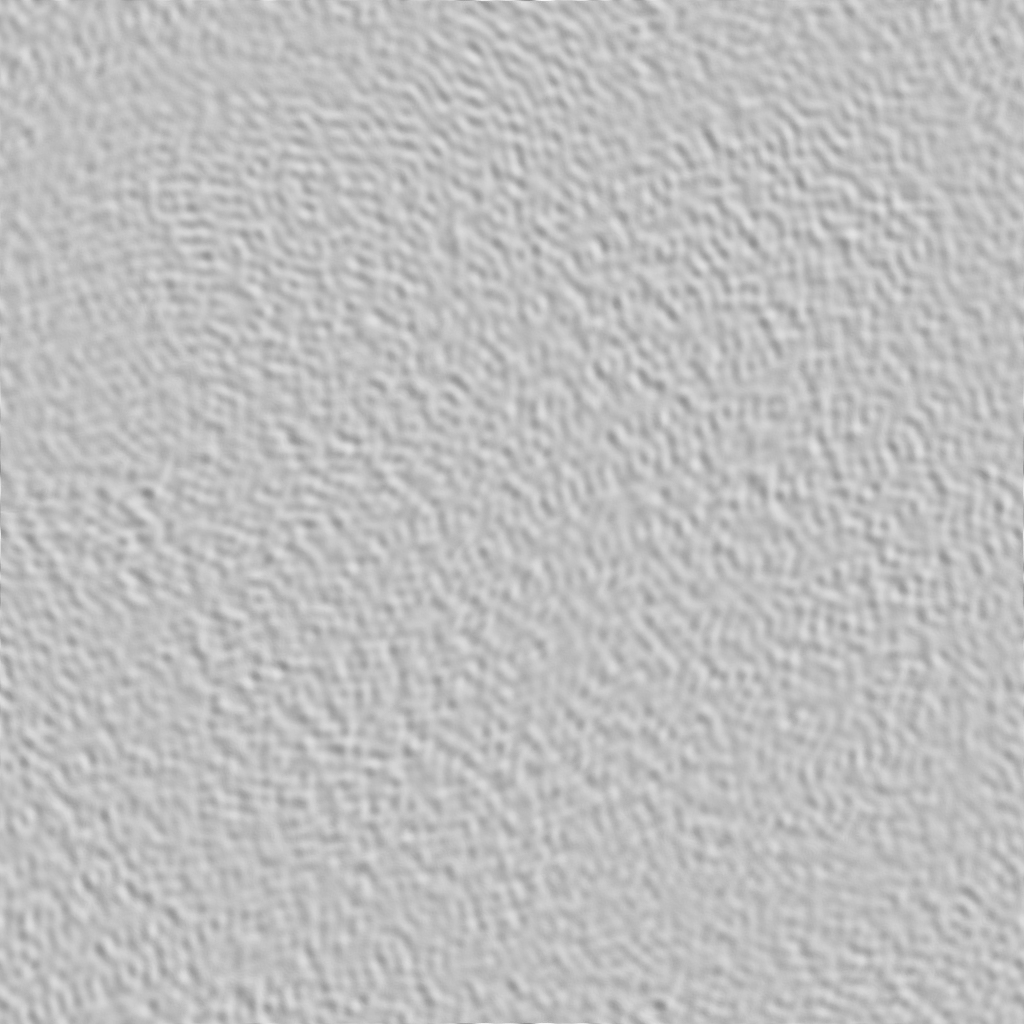
into this and set it to 80 80

then scroll down a bit and set this to that

boom ultra realistic hooman skin looking
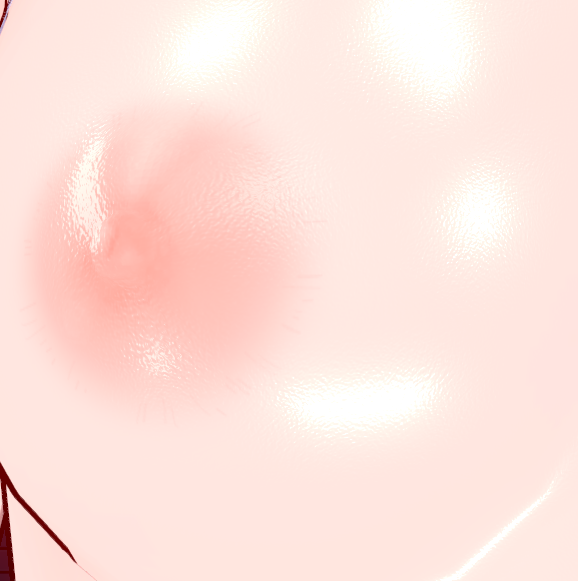
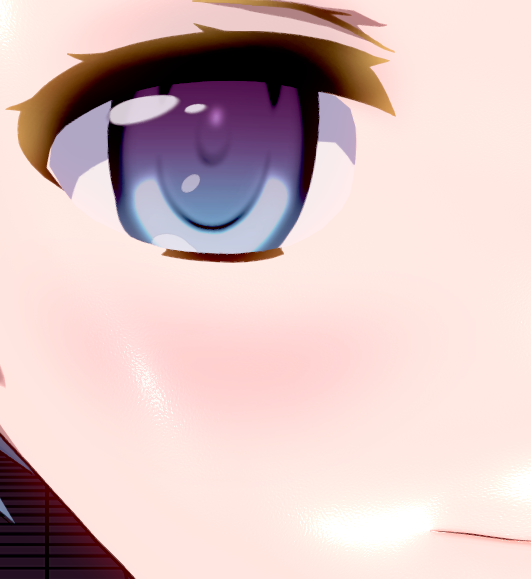
and for the face after importing the texture set the NormalMapForMatCap to 20 20 instead to get it look like this, dont forget to set the Is_NormalMapForMatCap to 0.30 as well
additional note:
To keep everything fine in studio(otherwise it'll look really shit) you also have to do these (i dont know why but i guess good things take time)
(set 1.0(i did say 0.2 but i checked again 1.0 is better) for the body and 1.0 for the face) (scroll down a little bit from the top to find this)

(do this for both body and face) (this part is like somewhere middle, under the Matcap im sure you'll find it)
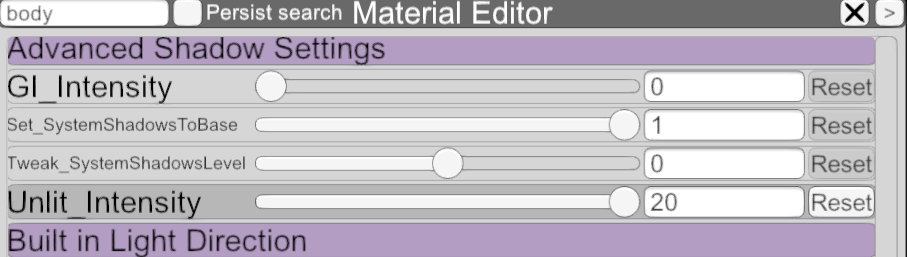
And i guess thats it for now, good luck soldiers. Though there are still some other settings that you can tweak in order to make your character more perfect, but its too much to tell so good luck once again.
You gotta thank pandaman for all of this shit im just simply copying his work
(also i just re-uploaded my personal ciaccona card, did some minor fixes it wont get weird in scenes anymore i hope https://gofile.io/d/PUP8sT)
Last edited:

cesarnator
Veteran Member
Replying to a textless post seems to be janking out so I'm just linking the reply
The OP asked for a Kyonko card and you linked SolityL, am I missing something?
idk man, i wonder the same
he just quote the wrong messageHey guys, me again with kyonko's latest card.
https://www.pixiv.net/artworks/139888415
https://files.catbox.moe/p8gqd0.rar
https://gofile.io/d/eF3qXo
You'll see me again at 9pm UTC+9 today, stay tuned.
H
hexie13452
Active Member
ettlo? It should be him.Who is the author of this scene/card? Thanks.
O
Ommke
Member
Any1 have this dude's collection https://www.pixiv.net/en/users/65939099/artworks?p=1

ps321
Senior Member
Can this version of KKUTS be installed on KKS? I installed it once before and found that some material effects were missing, or maybe my KKUTS is too old.first you will have to choose KKUTS body (update to the lastest one here) for me i chose 2.5.1A cause i dont even know what the other does
then scroll down and find this
B
bboytuan
Active Member
Bumpbumping this one, I've managed to scavenge one or two from this forum (and from kemono back when it was updated regularly), i'll post them again
https://gofile.io/d/e2nYZh (only 3 here, please if anyone has any other then these drop them 🙏)

Saria007
New member
oh your right. my bad.
J
jared5242
New member
Anyone have these cards? Please?
 www.pixiv.net
 www.pixiv.net
 www.pixiv.net
Rain / Aparida
"I Left My A-Rank Party to Help My Former Students Reach the Dungeon Depths!" Distributed to participants in April 2025. Currently not a
www.pixiv.net Marina / Aparida
"I Left My A-Rank Party to Help My Former Students Reach the Dungeon Depths!" Distributed to participants in March 2025. Currently not a
www.pixiv.net Tino Shade / 嘆きの亡霊は引退したい
"Let This Grieving Soul Retire!" *We are currently not accepting applications for support. *現在、サポートのお申し込みは受け付けておりません。 *我们目前不接受支助申请。
www.pixiv.net K
kimochisan
New member
how do i change the face color?
Mornye (Frankme)

[1月] Mornye headmod
*对于12月缺更很抱歉,作为补偿这个月内容会翻倍, 并且对于12月赞助的有额外的一套衣服mod,私信可能会有延迟 *之后再重新做一做腿的效果,进去的话能看得见确实不错 *下一个是粉毛,衣服也做好了,想办法做出那种电子特效 适用于KK/KKS 感谢服装卡制作者 服装Mod:Loading…
gofile.io
🔒 : No password
B
BA1ST
New member
D
dsasfwqwf
New member
I can't access the site. Maybe my computer is the problemLink updated, wdym?
M
MaguroP
New member
you have awoken me from my hibernation
Loading…
gofile.io
Thanks bro
K
kimbo
Member
Thanks for your cooperation!i guess this might help
contains card + mods + coordinateLoading…
gofile.io
its personal modification so might be way different than OC
K
kitashirakawa_f95
Active Member
drown incomplete scene data ~50gb after extract
Loading…
gofile.io
missing scene datas have `failed.huskyscrape` inside the folder
this creator likes quintuplets that hard (makes up around 80% of its posts)
A
Ashv
Member
爻光
<s>可能有点…穿模()…不想做第三遍了,摆了TT</s> Clothes:https://mega.nz/file/FgNTnTaQ#bE6RpjYCsaFTl0Skw0etZSy-bbvlgU6d5l359fdOsPA headmod fanbox:https://w
www.pixiv.net Sparxie
衣服区别是切换后有没有袖子。头模是一个把Δ的嘴型替换成p1右下角的,但是凹不好,摆。 <s>白色果然显黑(x</s> Clothes:https://mega.nz/file/Mg1UEBYY#KQHYHNIt9tD8ti-QJJn0vRylpy9ryW-TObgQ7fYA_
www.pixiv.net 狛野真斗
<s>眉毛因为和眼皮一起动比较好看所以没有单独的变形,混在眼睛里了。</s> 咬牙做了一个眉毛有表情的,替换后没有表情我默认用的人会处理并且<strong>眉毛的表情全部需要自己K</strong> 如果切换人物手越来越大,建议把hand的scale锁了。 <s>头铁用角色的方
www.pixiv.net 


