[ILLUSION] Koikatu! - Questions & General Discussion Thread

zeidhan29

zeidhan29

KK Master
Joined
Sep 17, 2025
Messages
427
Reaction score
1,058
Points
93
Credits
10,820
Wouldn't it be easier to remove that part from Displacetex?

I'm sure this will affect other clothes as well.
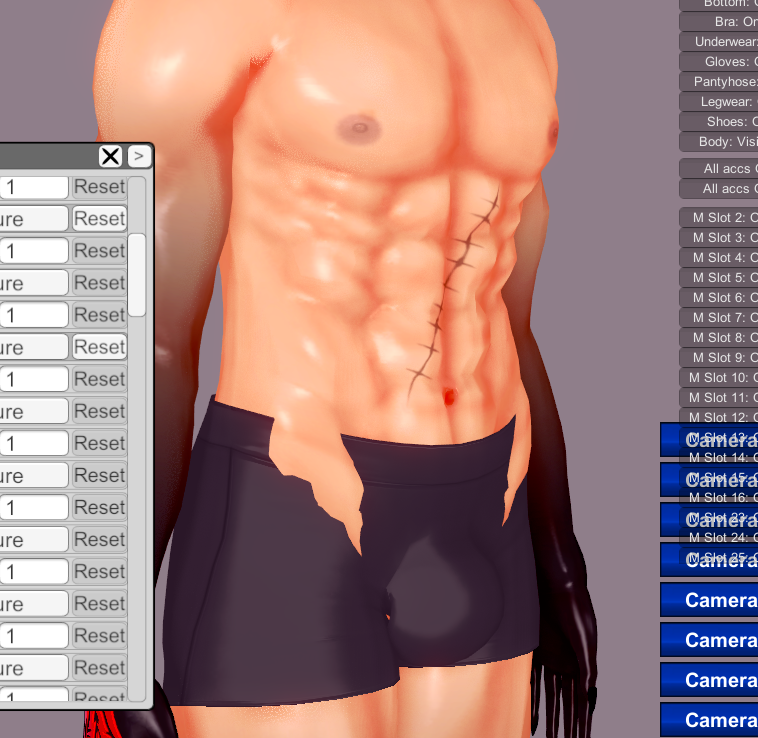
Hey! That's true, in fact, I should have worked that way. 😅 😅 (y)
THANKS YOU!!!!!!!!!!

That reminds me that I also forgot to ask if it was possible to modify the displacetex with Photoshop or another image editor that handles layers. Let me explain: due to my limited knowledge of this method, I didn't know if it was possible to create them from scratch using a body's texture or detail mask, although I see that it is possible (I think part of the problem was that I was merging information from both Blender and Koikatsu's Unity engine; I'm not familiar with Unity).

Thank you very much, although I had already created blendshapes for the clothing, but I'll use your work on the same model as an alternative version where I don't use the BlendShapesCreator plugin.

--------------
As always, I took the longest route instead of using common sense. LMAO
 
zeidhan29

zeidhan29

KK Master
Joined
Sep 17, 2025
Messages
427
Reaction score
1,058
Points
93
Credits
10,820
Got it, I understand. Thank you for explaining it to me. I’ll try reaching out to the creator first.
It would be a good idea, although I don't know the creator well enough to give you information about how they manage their community, or if they simply shut themselves away in their "den" and release their work on Patreon and check the requirements, nothing more.

Although they seem to take good care of those aspects of their Patreon, otherwise they wouldn't emphasize the account's longevity; a bit paranoid, I'd say, but we're talking about custom models for an eroge, I'm not going to argue about it.

Just out of curiosity, are there any cards from this creator that you're looking for? I think there are some on Bepis, and I have others on my PC as well; if you're only interested in what they release on Patreon, that's a different matter.
 
Katolix

Katolix

Veteran Member
Joined
Aug 22, 2024
Messages
225
Reaction score
982
Points
93
Credits
10,040
I updated from BR21 to BR22 and noticed that the fast clothing switch plugin was missing.
I found it in my backup and decided to share it here for anyone who needs it.
It just makes switching outfits (1 to 7) a bit more comfortable.
Put it in plugins folder. BepInEx -> plugins.
jr4kBTn.png

📁ClothingStateMenuX
 
YuLeo

YuLeo

Veteran Member
Joined
Nov 19, 2025
Messages
40
Reaction score
343
Points
53
Credits
3,595
It would be a good idea, although I don't know the creator well enough to give you information about how they manage their community, or if they simply shut themselves away in their "den" and release their work on Patreon and check the requirements, nothing more.

Although they seem to take good care of those aspects of their Patreon, otherwise they wouldn't emphasize the account's longevity; a bit paranoid, I'd say, but we're talking about custom models for an eroge, I'm not going to argue about it.

Just out of curiosity, are there any cards from this creator that you're looking for? I think there are some on Bepis, and I have others on my PC as well; if you're only interested in what they release on Patreon, that's a different matter.
Thank you very much for your kindness!
Unfortunately, his 2024 older card Seras Ashrain seems to be quite hard to find, so I may need to subscribe to his Patreon for one month to get that card.

I also contacted the creator, and he seems like a really nice person. He basically said, “Since you went through the trouble of asking, it’s no problem—feel free to join if you want.”

He also mentioned that he wants to make it easier for everyone to access these cards, and that he plans to lower the barrier again in the f
 
151persona23

151persona23

Active Member
Joined
Dec 11, 2025
Messages
34
Reaction score
73
Points
18
Credits
835
So, I have ran into quite the conundrum. I am at my wits end.
Basically, there's this new card I got that only shows a certain clothing when it's on 1/2 and not when it's on. It also lacks the abdomen part.. for some reason, and the nipples are also showing. When they shouldn't.
Is there.. any way I can export this specific piece of clothing (shown and highlighted in the image) into the full/on? Or is there any way I can change this option so this piece of cloth shows up in the "on" option? - Anyone knows of any method to move this into the "on" part? - I highlighted it on the screenshots taken. If it's necessary, what I want to export into the 'on' category is the Slot 55 accessory.
04hRbdg.png

vkul9jW.png

H9cp29G.png

olK32gq.png

And no, it's not due to missing mods, it's probably because the original author messed up with the clothing.
 
K

kly

New member
Joined
Nov 9, 2025
Messages
5
Reaction score
0
Points
1
Credits
25
I do not think it's an animated scene, you just have leftover timeline data(don't know why or how that works like that).
Thank you for your reply! I got the scene from the sharing thread on this website, so I think it should be an animated scene since I didn't see anyone on that thread say otherwise. I also tested with some free scenes found on bepisDB with the tag "blackflames3" under koikatsu scenes, and most of those have no scene data, but they actually give me a notification and don't pan the camera like the first scene. (link if you want to double check: https://db.bepis.moe/kkscenes?tag=blackflames3). Oddly though, this one scene did work(https://db.bepis.moe/kkscenes/view/69639), but I am not sure whats the difference between this single scene and the one in question.

I also took a screenshot of the timeline from the earlier scene and it seems like there is data in it. (I will post it below for reference)
KpY7Sjy.jpeg
 
Last edited:
-LiuGong-

-LiuGong-

Senior Member
Joined
Aug 30, 2024
Messages
120
Reaction score
213
Points
43
Credits
2,280
Hello everyone, I have a somewhat complex question. It turns out that I want to adapt my cards to Hongcha's scenes, so what I did at first was follow this tutorial to modify the bodies. Here are some examples of what I achieved.
X9bdhWv.png
4SUpwwt.png
jIBkau1.png

Now the problem I have is that when I want to edit a card, I encounter these issues, and I'm not sure if you can cause them.

M88GLav.png
6EZQIMx.png
m1KkXri.png
zAGvxAk.png
Hl5K4lo.png

Is there any way to fix this? Or is it better to give up and move on to something else...

PD: After reading this, I am leaving you some cards that I have re-edited using the Hongcha example. Please do not distribute them yet, as they are still in the alpha phase. A gift for you <3
In the end, I ended up uploading the files of my (poorly) adapted cards from the scenes in HONGCHA. It's obvious that I don't have the patience for these things. I'll go back to editing cards next year. I'll take a break while I get some new outfits. 😪
 
S

Shido

New member
Joined
Dec 18, 2025
Messages
12
Reaction score
0
Points
1
Credits
205
Hello, please tell me if there is a way to move Dynamic Bone Colliders so that the animation doesn't break? removing them doesn't help
 
Dethii

Dethii

New member
Joined
Dec 16, 2025
Messages
10
Reaction score
4
Points
3
Credits
155
Can anyone help me with some scenes? when I try to load certain scenes they say I'm missing [blue archive] or [kpluganim] mods but I already have said mods unless its another version of them but I can't find them anywhere
the mods I have are [katarsys] KPlug Animations v1.5.3.zipmod and [Eijineer] Blue Archive v1.65.zipmod

AlV9SBl.png


tPP3TyT.png


knlu6Dg.png
 
U

userKnwn

Active Member
Joined
Nov 6, 2025
Messages
22
Reaction score
48
Points
13
Credits
480
Thank you for your reply! I got the scene from the sharing thread on this website, so I think it should be an animated scene since I didn't see anyone on that thread say otherwise. I also tested with some free scenes found on bepisDB with the tag "blackflames3" under koikatsu scenes, and most of those have no scene data, but they actually give me a notification and don't pan the camera like the first scene. (link if you want to double check: https://db.bepis.moe/kkscenes?tag=blackflames3). Oddly though, this one scene did work(https://db.bepis.moe/kkscenes/view/69639), but I am not sure whats the difference between this single scene and the one in question.

I also took a screenshot of the timeline from the earlier scene and it seems like there is data in it. (I will post it below for reference)
KpY7Sjy.jpeg
Here is the pixiv post and it's a picture, the user seems to post animated scenes as ugoira/animations, so I'm 99% sure it's just a static scene:
 
Pheight

Pheight

Member
Joined
Sep 29, 2024
Messages
72
Reaction score
17
Points
8
Credits
250
tAoGiEP.png

PDZAXtM.png

does anyone know why this happens in YuraBe's scene? It's just static compared to its original.

Link to the scene

Also is there a way to determine which mods are used in a scene?
 
cenpai

cenpai

New member
Joined
Sep 2, 2025
Messages
9
Reaction score
7
Points
3
Credits
225
For this Harada scene is there a way to adjust the shota head to make him look down?
9fkhO1Y.jpeg
 
gustavo40

gustavo40

KK Master
Joined
May 17, 2025
Messages
239
Reaction score
1,139
Points
93
Credits
11,650
zeidhan29

zeidhan29

KK Master
Joined
Sep 17, 2025
Messages
427
Reaction score
1,058
Points
93
Credits
10,820
what causes this?

You're using a shader with tessellation (Tess). If I'm not mistaken, these shaders use displacetex to move the mesh vertices, and they use the texture as a map or guide.

In simple terms, the shader subdivides the mesh (tessellation), and each new vertex reads the displacetex value, interprets the gray as height, and the vertex moves.

Use the following colors as a map legend:
White = relief
Black = pushes
Gray = intermediate

If you're not going to use Tessellation, it's best to use another shader that doesn't have "Tess".
 
TripleZero000

TripleZero000

Active Member
Joined
Mar 26, 2025
Messages
28
Reaction score
50
Points
13
Credits
660
I have a question regarding ABCEEFG's Otoha Momi card


as shown in the pictures, how does one do that? some of the coordinates of the card have different default states of the eyebrows and the mouth. Most cards I've seen in KK don't even have this kinda thing
 
W

Wiz1z

New member
Joined
Jul 13, 2025
Messages
7
Reaction score
3
Points
3
Credits
30
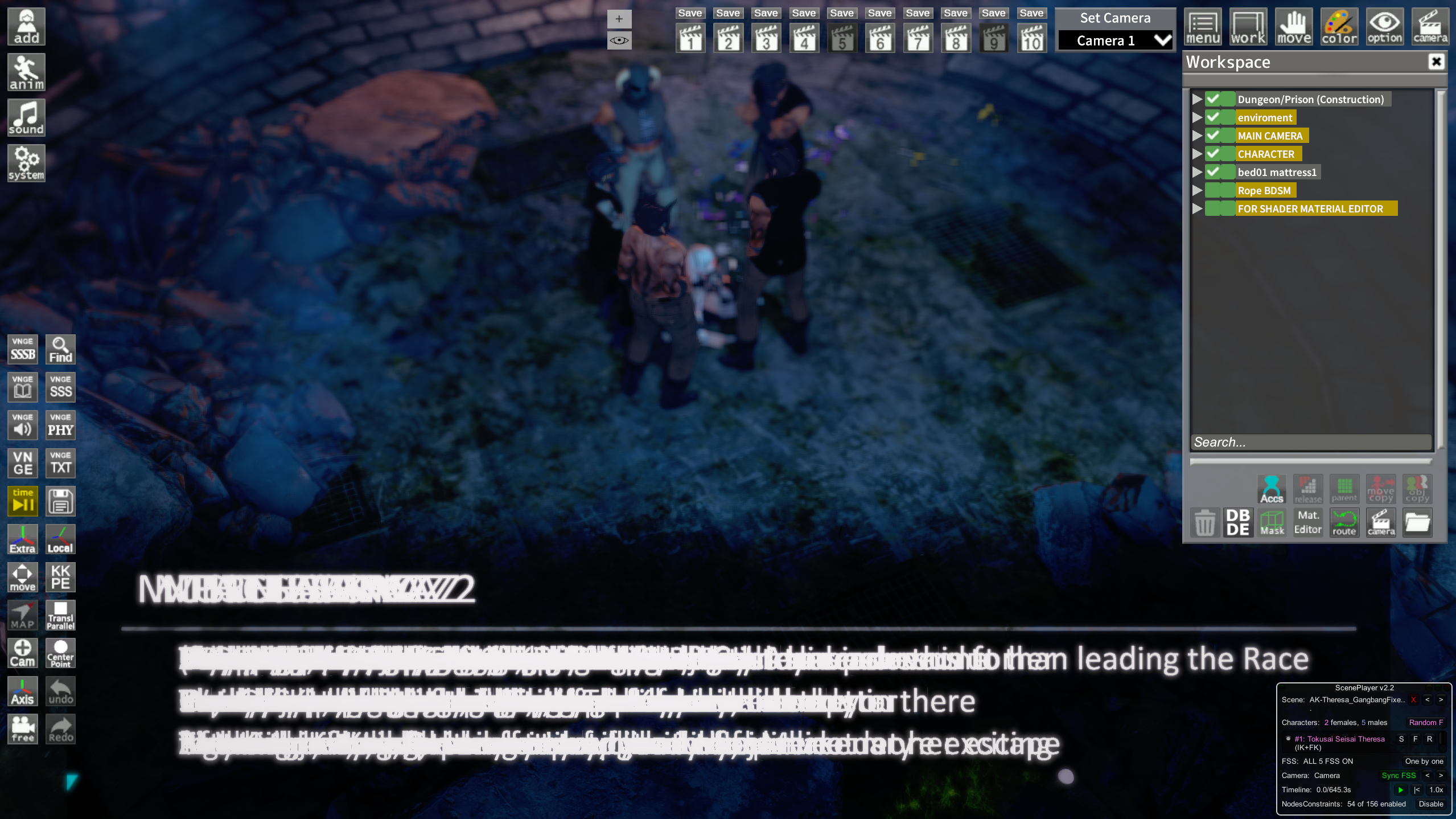
Can someone help me with this? When I load "Farewell, Theresa" scene of YourWaifuNTR-ed, its shows that i missed bunch of missing mods but I can't find any of them and it perhaps cause overlapped dialogue like this? How do i fix this issue, thanks in advance.
The missing mods are:
- abqingming
- Weasel: NPC
- DHam: World_of_Props

 
Last edited:
sbrandom

sbrandom

Active Member
Joined
Feb 12, 2025
Messages
45
Reaction score
66
Points
18
Credits
730
I'm trying to mimic shading styles and could use some advice.

And any of these scenes or scenes that have this type of shading (trying to mimic the settings not animations). Any advice for that technique is appreciated.

Redgectx
Addler77
Yamada Ryo

I'm also trying to see how close I could get to AmateurThrowaway's Persona style (I know it's blender)
 
Katolix

Katolix

Veteran Member
Joined
Aug 22, 2024
Messages
225
Reaction score
982
Points
93
Credits
10,040
I have a question regarding ABCEEFG's Otoha Momi card


as shown in the pictures, how does one do that? some of the coordinates of the card have different default states of the eyebrows and the mouth. Most cards I've seen in KK don't even have this kinda thing
I see two options.
1_ They created the expression and saved it with the costume. As a result, when they transfer the costume with the Bonemod box checked, the expression is transferred as well, as shown in the image below.
tp7Cvmk.png

2_ Modify it directly from the advanced bonemod window.
Green: part of the bone modified.
Yellow: part of the bone modified by the costume.
54vTq96.png
 
yasaijin

yasaijin

New member
Joined
Aug 30, 2025
Messages
3
Reaction score
4
Points
3
Credits
165
I'm trying to mimic shading styles and could use some advice.

And any of these scenes or scenes that have this type of shading (trying to mimic the settings not animations). Any advice for that technique is appreciated.

Redgectx
Addler77
Yamada Ryo

I'm also trying to see how close I could get to AmateurThrowaway's Persona style (I know it's blender)
I think this person's shader creation method is a good reference.
https://www.pixiv.net/artworks/107315931
I use the Material Editor's Copy Material function and manage Face, Body, and Eyes materials with multiple layers, too.
Also, there's the option to add Post Processing Effects or install Reshade. AO Shadow and Depth of Field are especially important.
 
sbrandom

sbrandom

Active Member
Joined
Feb 12, 2025
Messages
45
Reaction score
66
Points
18
Credits
730
I think this person's shader creation method is a good reference.
https://www.pixiv.net/artworks/107315931
I use the Material Editor's Copy Material function and manage Face, Body, and Eyes materials with multiple layers, too.
Also, there's the option to add Post Processing Effects or install Reshade. AO Shadow and Depth of Field are especially important.
Very interesting thank you. I'll give the normal mapping and UTS textures a shot. That looks promising if not for mimicking the styles, then at least enhanced quality. The post processing is something I've dabbled with trying to recreate Sixpluswan and some other styles, but trying to figure out what setting is for each scene is a bit daunting.
 
Heineken

Heineken

New member
Joined
Oct 19, 2025
Messages
11
Reaction score
2
Points
3
Credits
20
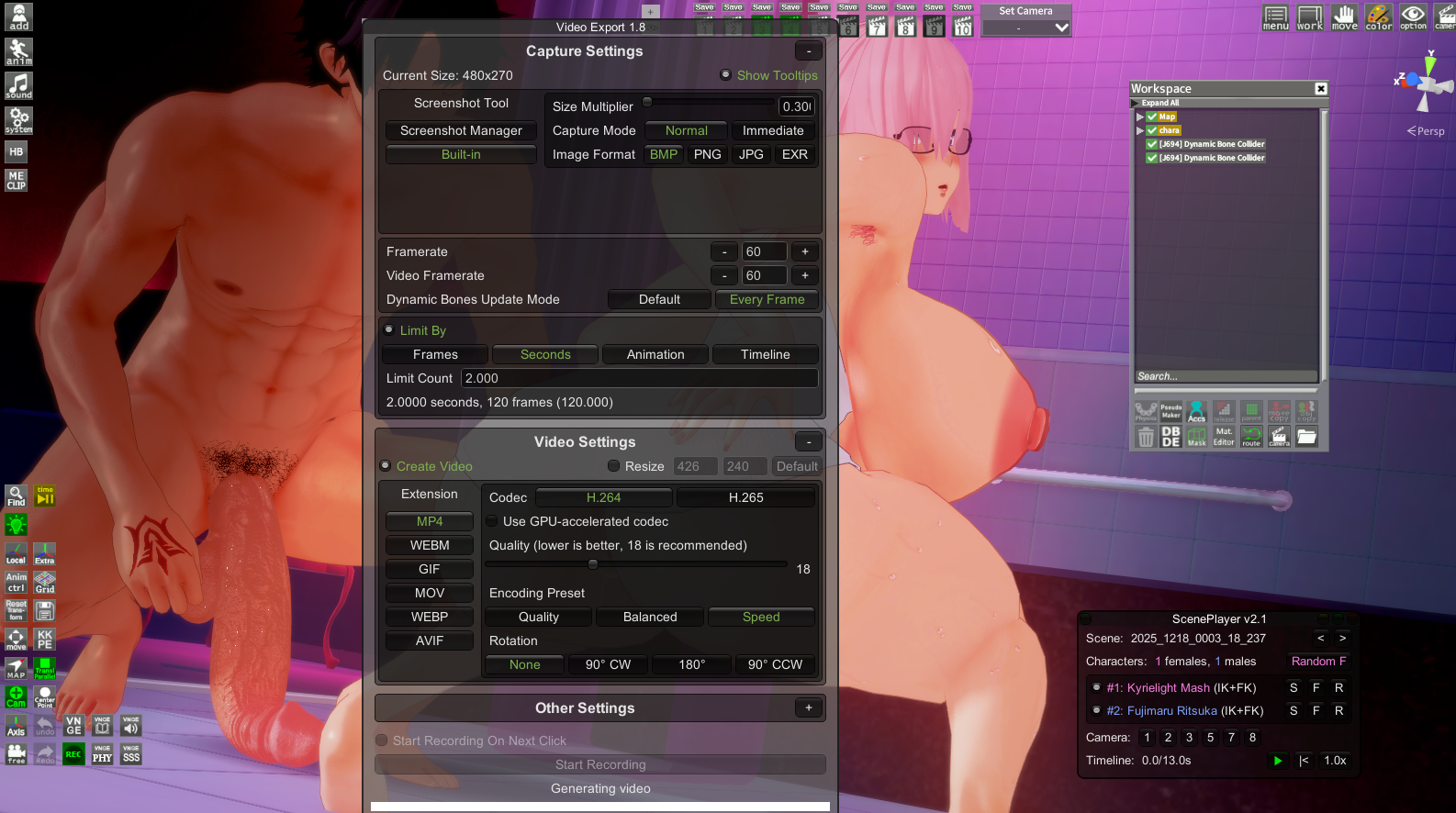
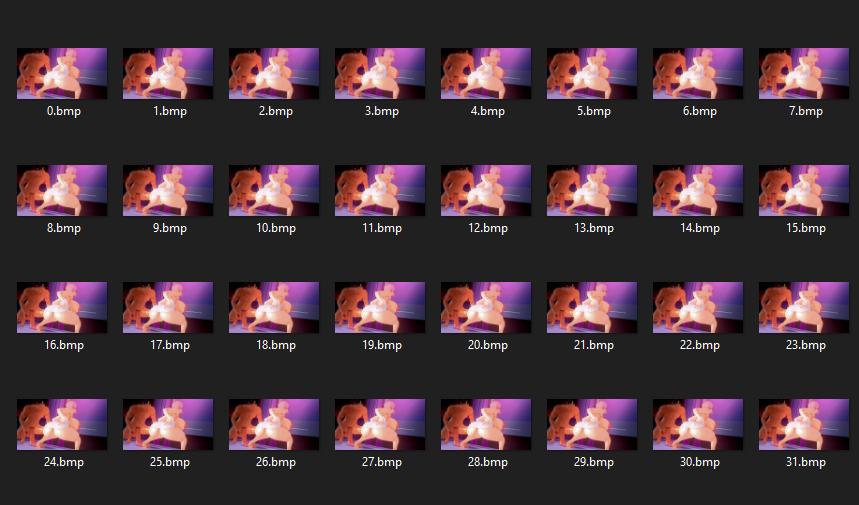
When attempting to export a video, I received an error message stating, "Error while generating the video, please check your output_log.txt file." I don't know how to upload the log file here, sorry. I tried pasting the entire file here, but I received an error message because it was too long.


kayamiasako

kayamiasako

KK Master
Joined
Apr 24, 2025
Messages
233
Reaction score
1,385
Points
93
Credits
14,970
can you share the mods for Ami Male Rover card please? ( •̯́ ^ •̯̀)♡

also besides Lor there's Znany (but no clothes only headmod), Nyako (but it's been a while since there was an update, and I've been looking for their male cards for free for a while now and haven't found them) and now 白5B (but it seems they work more with commissions and don't distribute those commissions after it's completed)
very late reply but I don't think I have it, i'm not sure. can you give me the exact mod name?
 
kayamiasako

kayamiasako

KK Master
Joined
Apr 24, 2025
Messages
233
Reaction score
1,385
Points
93
Credits
14,970

this shit is why I stopped supporting Tumbeti. He's so confusing, and his way of distribution is so ass. It really isn't worth it for some half-assed DB xenoverse 2 mods. sure, he makes the clothes, but even he admits himself that they're kinda shitty. just make the damn mods and cards and publish them to download. the private messaging shit and "temporary cards" is so god damn annoying. thank god I kinda lost interest in dragon ball.
 
gustavo40

gustavo40

KK Master
Joined
May 17, 2025
Messages
239
Reaction score
1,139
Points
93
Credits
11,650
I downgrade the videoexport plugin from version 1.9.4 to 1.8.0, but for some reason it's no longer generating video. Does anyone know how to fix this?


zeidhan29

zeidhan29

KK Master
Joined
Sep 17, 2025
Messages
427
Reaction score
1,058
Points
93
Credits
10,820
I have a question regarding ABCEEFG's Otoha Momi card


as shown in the pictures, how does one do that? some of the coordinates of the card have different default states of the eyebrows and the mouth. Most cards I've seen in KK don't even have this kinda thing
In the Eye Overlay settings, you can modify—and it might sound redundant—the iris, sclera, eyeliner, and eyebrows. It uses PNGs, and you can extract a base image to avoid exceeding the resolution or size limits. Most importantly, you can lock the overlay so that each outfit has a different configuration or set of elements (although when activated, it applies to all outfits; if you have a specific iris you want to use in all outfits except one or two, you'll have to do it manually).

I understood this when I analyzed a model of Natedecock's OC, Natsumi, where in her "SFW" outfits she appeared with light skin and in the NSFW outfits she was tanned; the same applies to the hair as an accessory, not matching the overall hair color. It's simply a matter of making the overlays independent for each outfit.

33.png
 
TripleZero000

TripleZero000

Active Member
Joined
Mar 26, 2025
Messages
28
Reaction score
50
Points
13
Credits
660
In the Eye Overlay settings, you can modify—and it might sound redundant—the iris, sclera, eyeliner, and eyebrows. It uses PNGs, and you can extract a base image to avoid exceeding the resolution or size limits. Most importantly, you can lock the overlay so that each outfit has a different configuration or set of elements (although when activated, it applies to all outfits; if you have a specific iris you want to use in all outfits except one or two, you'll have to do it manually).

I understood this when I analyzed a model of Natedecock's OC, Natsumi, where in her "SFW" outfits she appeared with light skin and in the NSFW outfits she was tanned; the same applies to the hair as an accessory, not matching the overall hair color. It's simply a matter of making the overlays independent for each outfit.

33.png
oh, that option also affects the overlays in material editor?? I always thought it was just for the skin/iris overlays
 
151persona23

151persona23

Active Member
Joined
Dec 11, 2025
Messages
34
Reaction score
73
Points
18
Credits
835
For this Harada scene is there a way to adjust the shota head to make him look down?
9fkhO1Y.jpeg
Yes. Pretty sure you already found your answer, but: You can do so with every character. Select the shota in the workspace. Go into KKPE, FK (there are two buttons at the top right corner of the menu), and search for the head. Use the XYZ rotate functions. Here's a graphic guide as well:
2wwEc3Q.png

24MLQXu.png

2gjbX3Z.png

It's quite possible that the position of the head might reset itself after tweaking it. That might be because it's set on a specific position in the timeline. To do that, press CTRL + T to access the timeline and deselect the box with something related to the head or neck. Beware that this might fuck up the animation, tho.
 
151persona23

151persona23

Active Member
Joined
Dec 11, 2025
Messages
34
Reaction score
73
Points
18
Credits
835
A question for you guys.
How do you all detect when something is Koikatsu? Meaning, either a render or an animation. What is your thought process in order to say "Yeah, this was made in Koikatsu".
Some authors are incredible in their shading process and make their scenes not look Koikatsu at all for some unsuspecting fellows, but certain details give them away. Mainly, the shaders. Koikatsu, with Xukmi FX shaders & RSKoi shaders, has these particular shadows that give it away. I don't know how to explain it exactly, but it has the KK feel.
It's gone to the point where I can instantly recognize all the popular KK scene data creators. Lmao.
 
Last edited:
Katolix

Katolix

Veteran Member
Joined
Aug 22, 2024
Messages
225
Reaction score
982
Points
93
Credits
10,040
Hi, I have a problem with clothes. I'm not wearing a bra, but the game detects that I am. How do I fix this problem?
EhXkLSK.png
NbFB5fx.png
Check whether the bra is not included in the accessories. Uncheck accessories. If this resolves the problem, check them one by one to see which one causes the issue, including the bodysuit if there is one.
 
K

kly

New member
Joined
Nov 9, 2025
Messages
5
Reaction score
0
Points
1
Credits
25
Hello,

Not sure if this is the right place to post for this, but does anyone know what shaders/body overlay/body material balancefoxes/extrafoxes uses for their female cards in their videos? (picture below for reference)
cTI6gN3.png


I know its probably hard to tell just from looking, but I haven't been able to find any of their cards or scenes so I only have their videos as reference. I will also provide the link to their iwara if the picture I provided isn't clear enough.

Thanks in advance.
 
P

pansad123s

New member
Joined
Nov 19, 2025
Messages
5
Reaction score
6
Points
3
Credits
165
k0hFuR6.jpeg

hey all im tryna make Rurikawa Tsubaki from Kyockcho,
just wondering if u guys know any way to do any ways to tweak ear textures, i kinda want to make them more red colored like a blush, but at the same time not affecting other skin areas.
 
pineapple_pizza

pineapple_pizza

Active Member
Joined
Dec 2, 2025
Messages
74
Reaction score
66
Points
18
Credits
915

How do i fix this issue? Basically i downloaded a newer version of the pregnancy plugin from manlymacro and this happened.
 
gustavo40

gustavo40

KK Master
Joined
May 17, 2025
Messages
239
Reaction score
1,139
Points
93
Credits
11,650
When attempting to export a video, I received an error message stating, "Error while generating the video, please check your output_log.txt file." I don't know how to upload the log file here, sorry. I tried pasting the entire file here, but I received an error message because it was too long.


I'm getting the same error, The only way I found to solve this problem was to use v1.7.

VideoExport_v1.7.1
 
Katolix

Katolix

Veteran Member
Joined
Aug 22, 2024
Messages
225
Reaction score
982
Points
93
Credits
10,040

How do i fix this issue? Basically i downloaded a newer version of the pregnancy plugin from manlymacro and this happened.
I never got this problem but in that case, revert to the previous version, unless the new version brings something genuinely new to the game.
 
Top