Katolix
KK Master
Check in KKPE cf_j_neck - reset scaleNEED A HELP, sOME SCENE HAVE MALE SET AS (NO HEAD) AND WHEN SWAPPING THE MALE WITH ONE WITH A HEAD, STILL THE CHARACTER HAVE NO HEAD

Check in KKPE cf_j_neck - reset scaleNEED A HELP, sOME SCENE HAVE MALE SET AS (NO HEAD) AND WHEN SWAPPING THE MALE WITH ONE WITH A HEAD, STILL THE CHARACTER HAVE NO HEAD

Is your KK_OverlayMods plugin up to date?Need help guys! She has holes on her gloves. I tried this on overlay but it does nothing

Gofile - Cloud Storage Made Simple
Secure, fast and free cloud storage solution. Upload and share files instantly.gofile.io

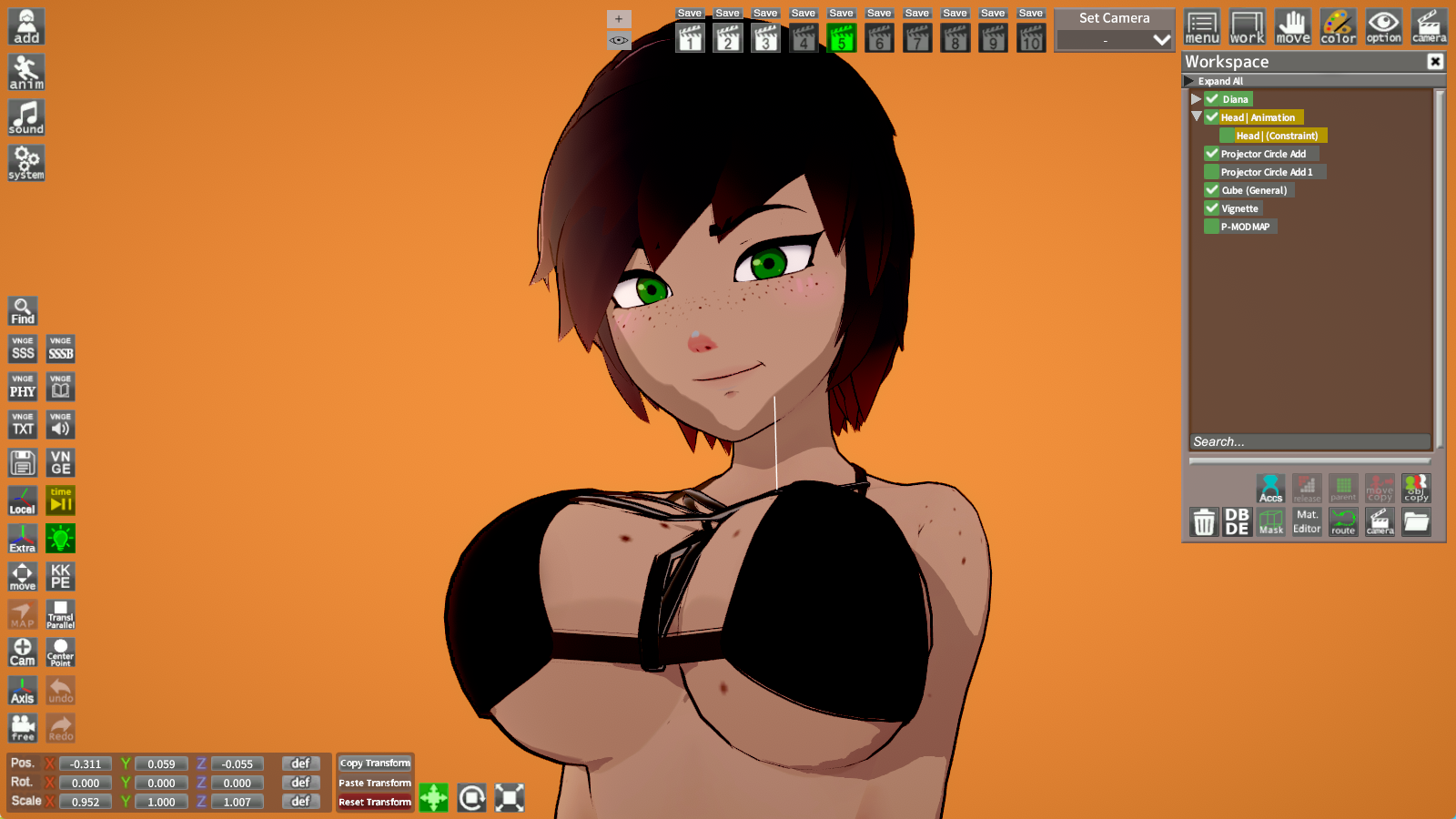
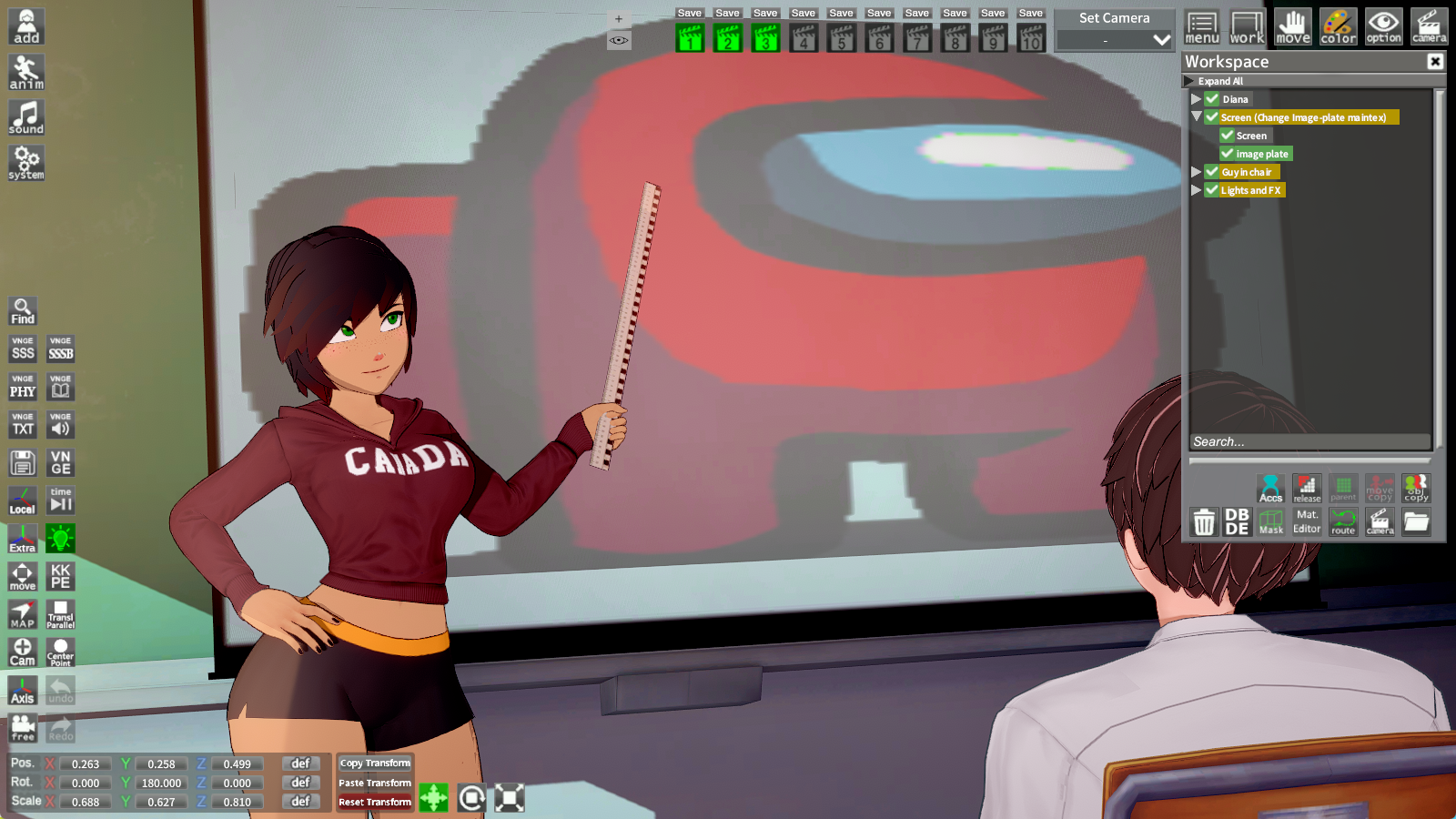


Click on a item on workplace, then you open Mat. Editor and use Import Texture on Main Text. You can do that with most of studio items, but the most popular image holder is Image Plate.How do I import photos/textures into the scene? Also, how do I restore body parts to their default state (my character's original appearance)?

You can use video exporter plugin for Chara StudioHi, I have a few questions.
I want to record scenes that have a timeline. I want to record scenes that have a timeline (for example, those from hongcha, imsayaa). What software do you use to record the scenes?
He comes from the author's scene:Click on a item on workplace, then you open Mat. Editor and use Import Texture on Main Text. You can do that with most of studio items, but the most popular image holder is Image Plate.
You can resize it with Scale XYZ.
Could you please elaborate your second question? I think something was lost in translation, are you talking about the characters´s bones deforming in certain scenes? If yes, I imagine the fix depends on the type of the scene... Is it a normal, timeline or vnge scene?
I don't know much about studio scenes, but if you can elaborate the problem, maybe someone here will help you better.
 www.pixiv.net gofile.io
Also a new user over here. For that matter—the learning curve is high for any professional animation program like Blender, which is by far the most popular one chosen by both NSFW and SFW artists.Hi! I recently discovered Koikatsu and this thread.
For a beginner who wants to create clean, high-quality motions (like the videos by @croove_nsfw or EatWaffles’ Piper Wheel), could you recommend any good sites or tutorial videos to check out?
I’ve made animations in MMD and Blender before, so I’d be happy if there’s a workflow that feels similar to those tools—but in any case, I’d love to hear everyone’s recommended methods for creating motions!
www.pixiv.net 


Thank you! I’ll do my best!Also a new user over here. For that matter—the learning curve is high for any professional animation program like Blender, which is by far the most popular one chosen by both NSFW and SFW artists.
Alas—there aren't any particular best sites to check out, but I would recommend you Chester Sampson's Animation Workflow tutorials, taking into account the fact that you already went through the donut process from Blender Guru (may the Blender God bless his soul).
Koikatsu is a very simple program in terms of animation. Any amateur with enough time on their hands can get the gist of Koikatu's workflow and timelines, and Koikatsu Sunshine isn't any different aside from a few differences in GUI. If you want to learn Koikatsu, just fool around with the timeline and learn from other creators by loading their scenes and checking out what they did. At least, that's how I learnt a lot of useful tricks for animation. And remember—the magic lies in what's seen! If you can take any shortcut so the finished product looks alright, do it. There's many scenes that behind the cameras have deformed models, but within the main camera it looks great.
Hello. I also had the same problem, so I can understand you.Can anyone help me with some scenes from Anna Anon, there are some scenes that any time I try to change the character, particularly the female character, it has, lets say some unique effects, even happens in some scenes even without changing the character. Is there a link I can find for the mods/utilities I need to fix these?


You have to load the face, skin/eye overlays and face bonemod from your og card (But the most important thing is the face option, because it contains all of ME's settings for the face, headmod, etc.)Hello everyone, I have a somewhat complex question. It turns out that I want to adapt my cards to Hongcha's scenes, so what I did at first was follow this tutorial to modify the bodies. Here are some examples of what I achieved.
Now the problem I have is that when I want to edit a card, I encounter these issues, and I'm not sure if you can cause them.
Is there any way to fix this? Or is it better to give up and move on to something else...
PD: After reading this, I am leaving you some cards that I have re-edited using the Hongcha example. Please do not distribute them yet, as they are still in the alpha phase. A gift for you <3
Thank you so much. I was able to successfully update my edits.You have to load the face, skin/eye overlays and face bonemod from your og card (But the most important thing is the face option, because it contains all of ME's settings for the face, headmod, etc.)

Thank you so much. I was able to successfully update my edits.


omg thank you, I have been wondering where i could find those GSPosesHello. I also had the same problem, so I can understand you.
There are some patreon-exclusive mods which can be found by paying for them via a Patreon subscription, or alternatively, you can search them up on kemono. AnnaAnon makes active use of GSPoses, and without them, animations break at some given point, moreover when you change the character. Here's all the mods you lack:
https://kemono.cr/patreon/user/86409721/post/78621940 <--- GSPoses 001_050, you can search for all of them in the AgiShark page.https://mega.nz/folder/Xi5h2ApD#qsR3tYAkwdxX1VkPyfh2ag <--- all KKS (Koikatsu Sunshine) ports. You search them up in the mega search bar by writing the name as is. You might want to install them all because many cards and scenes are from KKS and thus require it. Beware that KKS scenes normally glitch on KK. Whilst KK scenes work in KKS, the reverse is usually not the same.
Hoyo Environment is available on the BetterRepack Sideloader Modpack page. https://sideload.betterrepack.com/download/KKEC/Sideloader Modpack - Studio/Thatdude/
As an alternative, you can find it on his Pixiv page. https://www.pixiv.net/en/artworks/113781486
About RSkoi, it's a shader. You can find it on his GitHub page: https://github.com/RSkoi/RimLightShader/releases/tag/0.1.0


Have you tried using this plugin?Hello everyone, I have a somewhat complex question. It turns out that I want to adapt my cards to Hongcha's scenes, so what I did at first was follow this tutorial to modify the bodies. Here are some examples of what I achieved.
Is there any way to fix this? Or is it better to give up and move on to something else...
 github.com
 I understand that to unlock all the poses for the H-Scenes, without having to play through the entire Koikatsu game, it's simple: start a game without adding any heroines to the map (so it loads quickly at the start), then press F12 when you can progress to open the Run Time Editor window. By default, it opens the tab to modify the game, such as increasing the MC's stats, preventing the heroines from running away if you enter the changing rooms or interrupt an H-moment, and also modifying your interaction level with them. And yes, there's also a button that unlocks EVERYTHING for the H-Scenes. Now, I'm not entirely sure if that also unlocks the toys for the "service" mode, but I assume it does. Otherwise, you could also give yourself credits (there's a button that gives 500) and spend them at the night shop to buy the toys. For the H-poses to appear in the H-Scenes, regardless of whether it's in a game or a Free H-Scene, you have to save and restart the game to apply the changes.I downloaded Koikatsu Sunshine with the better Repack from F95 and I can't find the cheat that unlocks all h-scenes so I don't have to go through the game itself to try and unlock them all.

I'll try it later, thank you very much for the advice.Have you tried using this plugin?

Release Character Morpher V1.2.1 (Bugfix update) (Now with studio) · Prolo1/Character-Morpher
Changes Mainly just fixed a small bug Fixed no ABMX sliders in Maker bug Slightly changed maker UI Also if you want to support me you can visit either my Ko-Fi page or my Buy Me A Coffee page and...
Short answer and process, no.Does anyone know if it is possible to convert studio items to in-game items/accessories and how (if it's possible)?
Ahh I see, yeah I had thought that it would be difficult to do this, tysm for the answer!Short answer and process, no.
Long and tedious answer, but possible:
Here's the trick: is it an accessory for models or prop that has more than two rigs or physics? Is the zipmod for this prop only for that prop, or is it part of a larger collection?
The way I see this being possible is by using Unity and modifying the zipmod that contains the prop, although I think it's more likely that it's part of a collection, and in that case, it's cumbersome to try to modify the entire zipmod. The best option is to extract the object with a Material Editor and create a zipmod from scratch with it, although I don't really know how to do it with props that handle physics or more than one rig (I've usually only made zipmods for a single rig). In Unity, you modify the scv file, where you have to be precise with the information you put there. Before that, you also have to create the manifest.xml file, and honestly, it takes a long time to learn and get used to making zipmods with thumbnails included. But once you master it, any object file can be an accessory within CharaMaker and won't break the game unless you don't properly configure the model in Blender before importing it into Unity.
Anyway, if you want to try it, here's a video by Koikdaisy that teaches how to make zipmods for CharaMaker and CharaStudio, but he only makes one accessory for a single rig, just like I do. So, from there to using physics or adding maps as props for CharaStudio is a matter of further research.
View: https://www.youtube.com/watch?v=oJn3-bQIwbQ


I do not think it's an animated scene, you just have leftover timeline data(don't know why or how that works like that).Does anyone else have issues with BlackFlames scenes? I'm not sure if I am missing a plug-in or something that he uses, but none of his scenes work for me.
When I load them, it doesn't say that I'm missing any zipmods, and the characters and maps all load fine. However, when I click play on the timeline, none of the characters move and the camera just pans to random areas, often just looking at a wall or nothing.
e.g. the first image is when I load the scene in, looks fine. Next image is the next frame on the timeline it just looks into the sky and none of the characters are moving.
I'm on HFpatch v3.3 and have most of my mods and plugins updated. Any help would be appreciated!
What plugin modifys it so I'm not constantly having to reposition characters for size differences?I understand that to unlock all the poses for the H-Scenes, without having to play through the entire Koikatsu game, it's simple: start a game without adding any heroines to the map (so it loads quickly at the start), then press F12 when you can progress to open the Run Time Editor window. By default, it opens the tab to modify the game, such as increasing the MC's stats, preventing the heroines from running away if you enter the changing rooms or interrupt an H-moment, and also modifying your interaction level with them. And yes, there's also a button that unlocks EVERYTHING for the H-Scenes. Now, I'm not entirely sure if that also unlocks the toys for the "service" mode, but I assume it does. Otherwise, you could also give yourself credits (there's a button that gives 500) and spend them at the night shop to buy the toys. For the H-poses to appear in the H-Scenes, regardless of whether it's in a game or a Free H-Scene, you have to save and restart the game to apply the changes.
Now, I think there are plugins to modify some aspects of the H-SCENES, such as the size of each character, the proximity and better penetration (which basically makes the genitals connect with a node and doesn't lose animation quality with clipping, in case you don't intend to use charastudio and want to do everything, albeit with more detail).


Okay, to be honest, I don't really know for sure if you can change the scale of each model, but you can move them (zoom in, zoom out, rotate, etc.) individually during the H-Scene. I've never used the plugin, though I know it exists out of curiosity after reading all the downloadable content on the Koikatsu Discord server.What plugin modifys it so I'm not constantly having to reposition characters for size differences?
Sorry if I don't say it delicately, but it's obvious that it's going to happen, even when it says it there: You can't.What happens if I make a purchase using a patreon account that is less than a year old?(I want to buy Mogelatterio
Got it, I understand. Thank you for explaining it to me.Sorry if I don't say it delicately, but it's obvious that it's going to happen, even when it says it there: You can't.
Of course you can, there is virtually no obstacle between you as users and him as creator, but the detail is what he could do regarding his content.
And it is the block, it does not matter if you have already paid for the month, the block is imminent and without refund; If you think that it is abusive or that it lends itself to fraud, this brings nuances because the creator himself as a patron can appeal, both as a preventive measure of resale, and you looking more for your innocence and personal use of the paid content.
But realistically, that takes time and the sub with your block active will probably run out before Patreon gets to work on your request.
And someone tells you this who read Patreon's terms and conditions due to an unfair block (I don't speak the creator's language - i talking about other creator)
Wouldn't it be easier to remove that part from Displacetex?I have a question, what program or tool do you use to create the DisplaceTex? How do you make the clothes fit the body with a displace tex? Or do I have to directly use the BlendshapeCreator to modify it with Blender?
Thanks in advance.